PicsArt is my go-to photo editing app because it is an easy platform to use when combining several images together. PicsArt is equivalent to other apps in terms of lighting and color editing (for just those functions Snapseed and even the Apple Photo app work as well), but it is superior in layering and blending images.
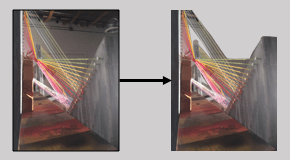
PicsArthas a special feature that allows the user to free crop images and save the image as a sticker. This sticker can then be used on any picture you choose to edit. I created several stickers of my 3-D piece, mostly cropping out the dark background and wall since these darker parts of the image would change how PicsArtallowed me to layer the image. I made one sticker of Chicago out of a picture I had taken of a street corner. I changed the perspective of the image first, making it seem as if the viewer was looking up at the skyscrapers. I also changed the image to high definition so that the details of the image would stand out clearer once other pictures were added.
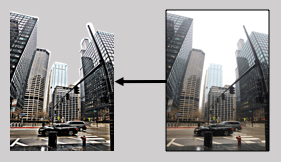
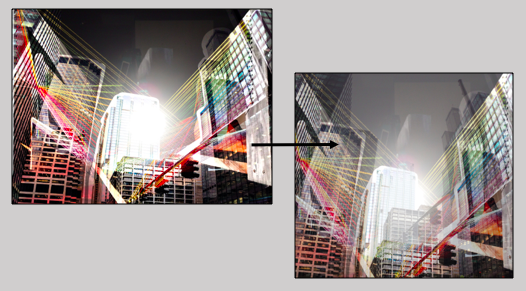
I began by overlaying the city sticker on top of my base image, combining them by darkening the sticker. I then added two other stickers, both of the stringpiece, blending them with the “dark light” layering option. After layering these four photos, I changed the overall image to high definition, not just emphasizing the detailed lines but also brightening the colors. This process led to the picture on the left. However, I felt the picture overall was too dark and the background seemed lacking. I saved the image and layered it over the original city photo, making the image more opaqueso the city could be seen. This filled the background and amplified the busy and overwhelming feel of the city, seen to the right.
However, the background still seemed empty. I found another photo I had taken in Chicago, one with a prominent skyscraper in the middle. I saved my edited image and layered it over the new city image, again by adjusting the opacity.
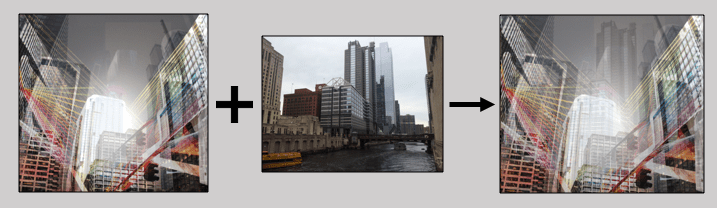
To finish the digital piece, I again made the image high definition and adjusted the brightness and saturation.
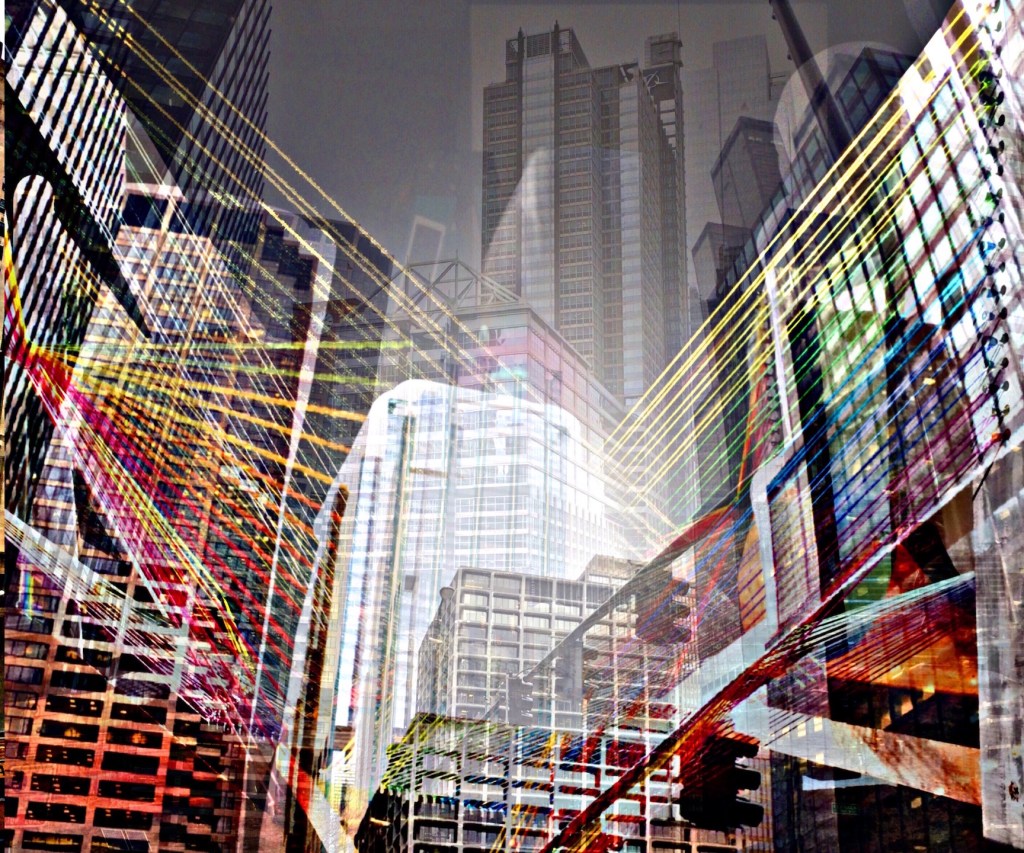
This is how I used PicsArt to create my specific style of digital art, and you can use the app however. There are many options for preset filters and blending techniques, and the sticker function is incredibly useful. Just as with any other app or software, take time to experiment first and familiarize yourself with what you can do before you begin to focus on your style.
 IB Digital Art Resources